Physical Address
304 North Cardinal St.
Dorchester Center, MA 02124
Physical Address
304 North Cardinal St.
Dorchester Center, MA 02124
VPN = Virtual Private Network
What it does: Creates an encrypted tunnel between your device and the internet, hiding your online activity from your internet provider, hackers on public WiFi, and websites trying to track you.
Think of it like this: Instead of sending postcards (anyone can read them), a VPN puts your internet traffic in a locked box that only you and the recipient can open.
Do you need one?
Cost: $3-10/month for standalone VPNs, or included free with many antivirus suites
Jump to “Do I Actually Need This?”
Last month, my friend Lisa called me from a coffee shop.
“Hey, I’m working from Starbucks and about to log into my company VPN. But I’m confused—should I also be using a personal VPN? My coworker says public WiFi isn’t safe without one. Is that true, or is he just paranoid?”
Great question. And honestly, most people don’t actually understand what VPNs do or whether they need one.
The internet is full of VPN ads making dramatic claims:
Some of this is true. Some is exaggerated marketing. Let me cut through the noise and explain what VPNs actually do, who needs them, and who’s wasting their money.
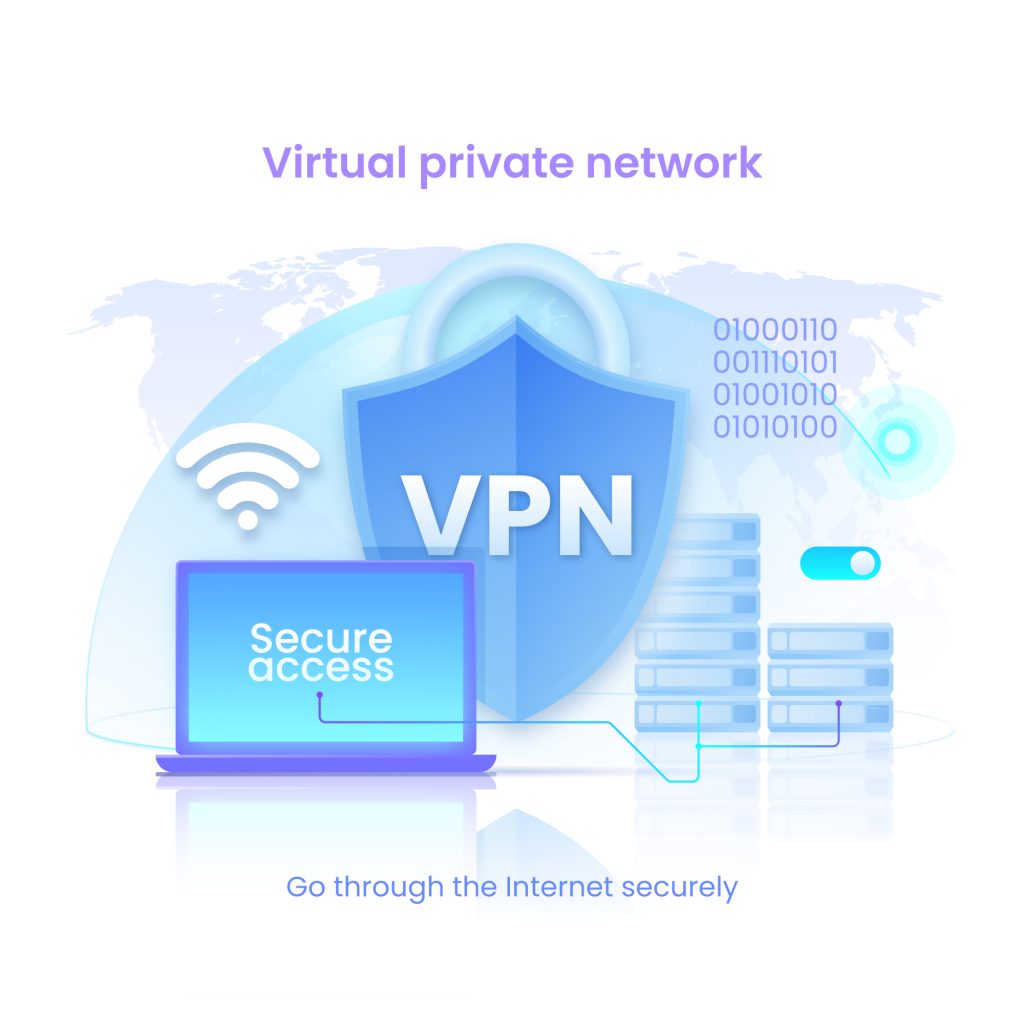
Imagine the internet as a postal service.
Without a VPN:
With a VPN:
The result:
When you turn on a VPN:
Step 1: Connection to VPN Server
Step 2: Encryption
Step 3: IP Address Swap
Step 4: Traffic Routing
Step 5: You See Normal Internet
Let’s separate fact from marketing hype.
1. Protect You on Public WiFi
The threat is real: Public WiFi at coffee shops, airports, hotels is often unsecured. Hackers on the same network can intercept your data.
What VPN does: Encrypts everything, so even if hackers intercept your traffic, they can’t read it.
Real-world value: HIGH if you use public WiFi regularly.
2. Hide Your Browsing From Your ISP
The reality: Your internet service provider (Comcast, AT&T, Verizon, etc.) can see every website you visit.
What VPN does: Your ISP only sees “connected to VPN server.” They can’t see which websites you visit after that.
Real-world value: MEDIUM. Depends how much you care about ISP tracking.
3. Hide Your Real Location/IP Address
How it works: Websites see the VPN server’s location instead of yours.
Why this matters:
Real-world value: MEDIUM for privacy-conscious users.
4. Access Region-Locked Content
The use case: You’re traveling in Europe and want to watch your US Netflix library. Or you’re in the US and want to watch BBC iPlayer.
What VPN does: Makes it look like you’re in a different country by connecting to a server there.
Real-world value: HIGH for travelers or people who want international content.
Important note: This violates most streaming services’ terms of service. They’re getting better at detecting and blocking VPNs.
5. Bypass Censorship
The scenario: You’re in a country that blocks certain websites (China, Iran, etc.) or on a restricted network (some schools, workplaces).
What VPN does: Routes traffic through servers in unrestricted countries, bypassing local blocks.
Real-world value: CRITICAL in censored countries, useful on restricted networks.
6. Prevent ISP Throttling
The problem: Some ISPs slow down your connection when you stream video or torrent files.
What VPN does: ISP can’t see what you’re doing, so they can’t selectively throttle.
Real-world value: LOW in most cases. Modern ISPs in the US rarely throttle specific services anymore.
1. Make You Completely Anonymous
The myth: “VPN makes you invisible online!”
The reality: VPNs hide your IP address, but websites can still track you through:
Bottom line: VPNs are ONE layer of privacy, not total anonymity.
2. Protect You From Malware
The myth: “VPN keeps you safe from viruses!”
The reality: VPNs encrypt your connection. They don’t scan for malware or block malicious websites.
What you actually need: Antivirus software. That’s its job.
3. Stop Phishing Attacks
The myth: “VPN protects against scams!”
The reality: If you click a phishing link and enter your password on a fake site, a VPN doesn’t help. You’ve voluntarily given away your info.
What you actually need: Knowledge about spotting phishing, plus antivirus with web protection.
4. Make Illegal Activity Legal
The myth: “VPN lets you do anything without consequences!”
The reality: Torrenting copyrighted movies is still illegal. Accessing illegal content is still illegal. VPN just makes you harder to catch—but not impossible.
Bottom line: VPNs aren’t magic “get out of jail free” cards.
5. Protect All Your Devices Automatically
The myth: “Install VPN once, everything is protected!”
The reality: VPNs work per-device. If you install VPN on your laptop, your phone isn’t protected unless you also install it there.
Exception: Some routers can run VPNs, protecting all connected devices.
Here’s the honest assessment based on different situations:
1. You Work Remotely and Handle Sensitive Information
Why VPN helps: Encrypts your connection so data can’t be intercepted.
2. You Travel Frequently
Why VPN helps: Protects you on untrusted networks.
3. You Live in a Country With Internet Censorship
Why VPN helps: Bypasses government blocks.
4. You’re on Public WiFi Multiple Times Per Week
Why VPN helps: Every public WiFi session is a risk; VPN mitigates it.
1. You Care About Privacy
Why VPN helps: Adds layer of privacy, though not complete anonymity.
2. You Want to Access International Content
Why VPN helps: Makes you appear to be in different locations.
3. You Use Public WiFi Occasionally
Why VPN helps: Protection when you need it.
4. You’re on Restricted Networks
Why VPN helps: Routes around restrictions.
1. You Only Use Your Home WiFi
Why you don’t need it: Your router already provides basic privacy from neighbors.
2. You Don’t Handle Sensitive Information
Why you don’t need it: Little to steal or protect.
3. You Don’t Care About ISP Tracking
Why you don’t need it: Personal preference—not everyone needs maximum privacy.
4. You’re on a Very Tight Budget
Why you don’t need it: VPNs are nice-to-have, not critical for most people. Prioritize antivirus first.
Here’s a question I get constantly: “Should I get a separate VPN or use the one that comes with my antivirus?”
Examples:
Pros:
Cons:
Best for: People who need basic VPN protection and already have the antivirus.
Examples:
Pros:
Cons:
Best for: Power users, frequent travelers, people who need streaming reliability, privacy enthusiasts.
If you already have antivirus with VPN included (Norton, McAfee, Avira):
If you don’t have antivirus yet:
If you need the absolute best VPN:
You’ve turned on your VPN. How do you know it’s actually protecting you?
Before turning on VPN:
After turning on VPN:
If the IP is the same, your VPN isn’t working.
What’s a DNS leak? Even with VPN on, your DNS requests (looking up website addresses) might still go through your ISP, revealing what sites you visit.
How to test:
If you see your ISP’s DNS servers, you have a leak.
What’s WebRTC? A browser feature that can accidentally reveal your real IP even with VPN on.
How to test:
If you see your real IP, you have a WebRTC leak. Solution: Disable WebRTC in browser settings or use VPN’s browser extension.
VPNs always slow down your internet somewhat. Here’s what’s normal:
Good VPN:
Average VPN:
Poor VPN:
Free VPN:
✅ Connect to nearby servers – Tokyo server from US = slow. New York server from US = faster. ✅ Choose less crowded servers – Good VPNs show server load percentage ✅ Use faster protocols – WireGuard > OpenVPN > IKEv2 ✅ Upgrade your internet – VPN can’t fix slow base internet ✅ Use wired connection – WiFi + VPN = double slowdown
The golden rule of the internet: If something is free, YOU are the product.
1. Selling your data
2. Injecting ads
3. Using your bandwidth
4. Malware
ProtonVPN Free:
Windscribe Free:
Bottom line: If you absolutely can’t pay, use ProtonVPN Free. But paid VPNs are worth the $5-10/month.
Reality: VPNs hide your IP and encrypt traffic, but you’re still trackable through cookies, browser fingerprints, and login credentials. For true anonymity, you’d need Tor (which is much slower).
Reality: Many VPNs don’t allow torrenting, and copyright holders can still track BitTorrent swarms. Some VPNs hand over user data when subpoenaed. Torrenting copyrighted content is still illegal.
Reality: Your home WiFi router already provides network isolation from neighbors. Hackers can’t intercept your home WiFi traffic unless they’ve already hacked your router (in which case, VPN doesn’t help).
Reality: Huge differences in speed, security, privacy policies, and logging. Some VPNs keep detailed logs that can be subpoenaed. Others keep zero logs.
Reality: VPNs add latency (10-50ms usually), which can affect competitive gaming. But for single-player or casual gaming, it’s often unnoticeable. Some gamers use VPNs to reduce DDoS attacks.
Reality: VPNs encrypt connections, they don’t scan files. If you download malware over a VPN connection, you still get infected. Use antivirus for malware protection.
Here’s the uncomfortable truth: A VPN provider can see everything your ISP could see.
You’re not eliminating tracking—you’re shifting trust from your ISP to your VPN provider.
1. Where is the company based?
2. What’s their logging policy?
Important: “No-logs” is a claim, not a guarantee. Some VPNs lie.
3. Have they been independently audited?
4. What happens if they get a subpoena?
5. How do they make money?
Mullvad:
ProtonVPN:
ExpressVPN:
IVPN:
Situation: Sarah needed to pay a bill while working at Starbucks.
Without VPN: Hacker on same WiFi could intercept her banking credentials.
With VPN: Traffic was encrypted, hacker saw gibberish.
Result: VPN protected her. This is exactly what VPNs are good for.
Situation: Mark didn’t want Comcast knowing which websites he visits.
Without VPN: Comcast sees every site he visits.
With VPN: Comcast only sees “connected to VPN.”
Result: VPN helped, but Mark also needed to clear cookies and use privacy-focused browser for full protection.
Situation: Jennifer traveled to UK, wanted to watch US Netflix.
Without VPN: Only had access to UK Netflix library.
With VPN: Connected to US server, accessed US Netflix.
Result: Worked, but violated Netflix TOS. Netflix is getting better at detecting VPNs—doesn’t always work.
Situation: Tom clicked a phishing email while VPN was on.
Without VPN: Would have entered password on fake site.
With VPN: Still entered password on fake site.
Result: VPN didn’t help. He needed phishing awareness and antivirus with web protection.
Situation: Alex used VPN to torrent movies, thinking he was safe.
Result: His VPN kept logs. Copyright holder subpoenaed the VPN. VPN handed over his info. He got a cease-and-desist letter.
Lesson: VPNs aren’t magic shields for illegal activity.
Privacy from ISP? → Any reputable VPN works
Public WiFi protection? → VPN included with antivirus is fine
Streaming international content? → Need fast VPN with good unblocking (ExpressVPN, Surfshark)
Maximum anonymity? → Mullvad or IVPN
Bypassing censorship? → ExpressVPN or ProtonVPN
Do you already have:
If yes: Try the included VPN first. Only upgrade if it doesn’t meet your needs.
Free: ProtonVPN Free (limited but trustworthy)
$3-5/month: Surfshark, Mullvad
$5-8/month: NordVPN, ProtonVPN
$10-13/month: ExpressVPN (premium but worth it for some)
Most VPNs offer 30-day money-back guarantees. Use them.
Test for:
I know, boring. But skim these sections:
Red flags:
After explaining all this to my friend Lisa at the coffee shop, here’s what I told her:
If you use public WiFi regularly: Yes, get a VPN. It’s cheap insurance against very real risks.
If you work remotely: Yes, get a VPN. Your sensitive work data deserves protection.
If you only use home WiFi and don’t care about privacy: No, you probably don’t need one. Save your money.
If you’re somewhere in between: Get antivirus with VPN included. Solves two problems with one subscription, and the bundled VPN is good enough for most people.
VPNs aren’t magic, but they’re a useful tool for specific situations. Don’t buy into the fear-mongering ads, but don’t dismiss them entirely either.
The question isn’t “Should everyone have a VPN?” It’s “Do YOU need a VPN based on how YOU use the internet?”
Answer that honestly, and you’ll know what to do.
Step 1: Assess your actual risk
Step 2: Check what you already have
Step 3: If you need standalone VPN:
Step 4: Actually use it when it matters
Step 5: Verify it’s working
Will VPN make my internet faster?
No. VPNs always add some slowdown (usually 10-30%). Anyone claiming VPNs speed up your internet is lying. Exception: If your ISP throttles specific services, VPN might help by hiding what you’re doing.
Can I use one VPN subscription on multiple devices?
Yes, most VPNs allow 5-10 simultaneous connections. Check the specific VPN’s policy.
Is it legal to use a VPN?
Yes, in most countries. VPNs are illegal or restricted in China, Russia, UAE, North Korea, and a few others. Check local laws if you’re traveling.
Can my employer see my activity if I use VPN?
If you’re on their network using their device, they can see you’re connected to a VPN but not what you’re doing through it. If you’re required to use company VPN, they can see everything.
Do I need VPN on my phone?
Yes, if you connect to public WiFi on your phone. Mobile data (4G/5G) is already encrypted, so VPN isn’t necessary when using cellular data.
Can VPN stop my ISP from throttling my connection?
Sometimes. If ISP throttles specific services (Netflix, YouTube), VPN hides what you’re doing so they can’t selectively slow it down. But they can still throttle your overall connection.
What’s the difference between VPN and proxy?
Proxy just routes your traffic through different server (changes IP). VPN does that PLUS encrypts everything. VPN is more secure.
Can I use VPN to get cheaper flights or products?
Theoretically yes (prices vary by location), but in practice, airlines and retailers have gotten good at detecting this. It rarely works anymore.
→ What Is Malware? A Simple Guide for Non-Tech People
→ What Is Phishing? How to Spot Fake Emails in 2026
→ Norton 360 vs Avast Premium: Full Comparison (Security, VPN, Price)
Remember: A VPN is one tool in your security toolkit, not a complete solution. You still need antivirus for malware, awareness for phishing, strong passwords, and two-factor authentication. VPNs solve specific problems—make sure you actually have those problems before paying for one.