Physical Address
304 North Cardinal St.
Dorchester Center, MA 02124
Physical Address
304 North Cardinal St.
Dorchester Center, MA 02124
Ask most iPhone users whether they need antivirus software and you’ll get a confident answer.
“No. iPhones don’t get viruses. That’s an Android thing.”
It’s one of the most widely held beliefs in consumer technology. Apple has cultivated it carefully — the “it just works” ethos, the walled garden, the reputation for security that has become part of the iPhone’s identity and a genuine selling point for decades.
And here’s the uncomfortable reality: that belief is partially true, largely oversimplified, and in some specific ways dangerously wrong.
iPhones do have genuinely impressive security architecture. The App Store screening is real. The sandboxing is real. The encryption is real. iOS is meaningfully harder to compromise with traditional malware than Android, and dramatically harder than Windows.
But “harder to compromise with traditional malware” is not the same as “immune to all digital threats.” And the threats that do work against iPhones — phishing, social engineering, malicious websites, data harvesting through legitimate apps, compromised Wi-Fi networks, and sophisticated spyware — work extremely well precisely because iPhone users have been told they don’t need to worry.
The false sense of security that comes with owning an iPhone is itself a security vulnerability.
This guide gives you the complete, honest picture: what iOS security actually does, what it doesn’t do, what real threats look like for iPhone users in 2025, whether traditional antivirus makes sense for iOS, and what protection actually helps.
Start with the good news, because it’s substantial and real.
Every app distributed through the Apple App Store goes through a human and automated review process before being made available. Apple reviews apps for malicious code, privacy violations, and policy compliance. This process is more stringent than Google Play’s and — critically — it’s the only legitimate way to install apps on a standard iPhone.
Unlike Android, iOS doesn’t allow sideloading apps from third-party sources under normal circumstances. Every app on a standard iPhone came through Apple’s review process. This single architectural decision eliminates the entire category of third-party app store malware that represents a significant Android risk vector.
The result: traditional malware delivered through app installation is dramatically less common on iOS than on any other major platform.
iOS takes sandboxing further than Android. Each app is strictly isolated — it can only access its own data and the system resources explicitly granted to it. Apps can’t communicate with each other directly, can’t access each other’s data, and can’t access system-level processes.
This means that even a malicious app that somehow passes App Store review has extremely limited reach. It can only do damage within its own sandbox — it can’t reach your banking app’s data, can’t access your messages from another app, can’t modify system settings without explicit permission.
Every iPhone encrypts all data stored on the device by default, using hardware-level encryption tied to your passcode. Without your passcode or biometric authentication, the encrypted data on a stolen or lost iPhone is effectively inaccessible — even to sophisticated forensic tools, as Apple has confirmed in repeated law enforcement requests.
This protection is automatic and requires nothing from you beyond using a strong passcode.
When Apple releases an iOS security update, it’s available to every supported iPhone simultaneously — from the latest model to devices several years old. There’s no manufacturer adaptation delay, no carrier approval process, no fragmentation.
This is a significant advantage over Android’s update model. Known vulnerabilities get patched across the entire iOS ecosystem quickly, dramatically reducing the window in which those vulnerabilities can be exploited.
The Secure Enclave is a dedicated security chip built into every modern iPhone. It handles sensitive operations — biometric data processing, cryptographic key management, payment security — in complete isolation from the main processor. Even if iOS itself were compromised, the Secure Enclave maintains its isolation.
This is why Face ID and Touch ID data never leaves your device and why Apple Pay transactions are genuinely secure even on a compromised network.
In more recent iPhone models, Apple has implemented hardware-level memory protections that significantly complicate exploitation of software vulnerabilities. Techniques that underpin many traditional malware attacks — buffer overflows, return-oriented programming — become dramatically harder to execute reliably on modern iPhone hardware.
All of this is real, meaningful, and has a genuine impact on the threat landscape for iPhone users. Apple’s security architecture represents some of the most thoughtful consumer device security available.
So why is “iPhones don’t need any protection” still an oversimplification?
Here’s the critical distinction that most iPhone security conversations miss: iOS security protects against a specific category of attacks — malicious code execution through app installation and system exploitation. It does nothing to protect against attacks that target you rather than your operating system.
And the attacks that target you work just as well on an iPhone as on any other device.
Phishing is the most successful cyberattack category globally — not because it defeats technical defenses, but because it bypasses them entirely by targeting human behavior.
An iPhone user who receives a convincing text message claiming to be from their bank, taps the link, and enters their banking credentials on a fake login page has been successfully attacked. iOS’s sandboxing, App Store review, and Secure Enclave didn’t intervene. There was nothing for them to intervene against. The user handed over their credentials voluntarily.
This works identically on an iPhone, an Android, a Windows computer, and a Mac. The platform is irrelevant when the attack targets the person rather than the device.
Phishing targeting iPhone users specifically through iMessage — Apple’s own messaging platform — is well documented. Attackers craft messages that appear to come from Apple itself, from banks, from delivery services, from government agencies. The messages look legitimate. The links they contain look legitimate. And iPhone users, conditioned to believe their device is inherently safe, often apply less scrutiny to these messages than they should.
Our guide covering the seven signs an email is trying to scam you applies with equal force to text messages on an iPhone. Platform doesn’t change the principles.
Safari and other browsers on iPhone can visit malicious websites just like any browser on any platform. Websites designed to harvest credentials through fake login pages, sites that use psychological manipulation to extract personal information, and pages that display alarming fake security warnings designed to prompt you to call a fraudulent support number — these work on iPhones.
Certain sophisticated web-based exploits have also targeted iOS specifically. Apple’s own security updates frequently patch “WebKit vulnerabilities” — flaws in the browser engine used by Safari and, by Apple policy, every other browser on iOS. These vulnerabilities can sometimes enable code execution through web browsing, which is why keeping iOS updated is critically important.
This is one of the most underappreciated threats to iPhone users, and it operates entirely within Apple’s rules.
Many legitimate, App Store-approved apps collect far more data about you than most users realize or consent to. Location data, usage patterns, contact information, browsing behavior — this data is often sold to data brokers, used for targeted advertising, or retained in ways that create exposure if the app developer is breached.
Apple has implemented meaningful mitigations here — App Tracking Transparency requires apps to ask permission before tracking you across other apps and websites, and Privacy Nutrition Labels in the App Store disclose what data apps collect. But these are disclosure and consent mechanisms, not technical blocks. Many users tap “Allow Tracking” without reading what they’re agreeing to, and even apps that don’t track across apps can still collect substantial data within their own usage.
The data your apps collect about you is a real privacy and security concern that Apple’s core security architecture doesn’t address.
An iPhone connecting to a malicious or compromised Wi-Fi network faces the same risks as any device on that network. Man-in-the-middle attacks can intercept unencrypted traffic, DNS hijacking can redirect you to fake versions of websites you trust, and network-level content injection can modify what you see in your browser.
iOS’s architectural protections don’t extend to the network layer. Your iPhone’s sophisticated security chips don’t help you when someone on the same coffee shop Wi-Fi is intercepting your traffic.
This one is important to understand, even though it primarily affects specific categories of people rather than everyday users.
Pegasus is a sophisticated spyware tool developed by Israeli company NSO Group and sold to government clients for surveillance purposes. What makes Pegasus significant to any discussion of iPhone security is that it has successfully compromised iPhones through zero-click exploits — attacks requiring no interaction from the target, not even a tap. You receive a message. Before you read it, your iPhone is compromised.
Pegasus has been documented on the iPhones of journalists, human rights activists, lawyers, politicians, and business executives. Security researchers at Citizen Lab and Amnesty International have thoroughly documented its capabilities and deployment.
For the overwhelming majority of iPhone users, Pegasus is not a realistic personal threat — it’s expensive, tightly controlled, and deployed against specific high-value targets rather than used in mass consumer campaigns. But its existence fundamentally disproves the claim that iPhones are immune to sophisticated compromise. The vulnerability is the operating system, not the user.
Apple has implemented a feature called Lockdown Mode specifically in response to sophisticated spyware threats — a hardened security mode that significantly restricts device functionality to reduce the attack surface. It’s designed for people at genuine risk of targeted attacks and isn’t practical for most everyday users. But its existence is Apple’s explicit acknowledgment that standard iOS protections are insufficient against nation-state level adversaries.
Many iPhone users treat their iCloud account as separate from their device security. It isn’t.
Your iCloud account contains your photos, messages, contacts, notes, health data, location history, backups of your device, and potentially your passwords through iCloud Keychain. An attacker who gains access to your iCloud account gains access to all of this — without ever touching your iPhone.
iCloud accounts are compromised through phishing (fake Apple login pages), credential stuffing from other breached services if you reuse passwords, and social engineering of Apple Support. None of these involve defeating iOS’s technical security architecture. The account, not the device, is the target.
This is why the password hygiene and two-factor authentication guidance in our password guide is just as relevant for iPhone users as for anyone else. Your device’s security is only as strong as the account that controls it.
Here’s where we get into something genuinely important — and something the antivirus industry doesn’t always communicate clearly.
Traditional antivirus software — the kind that scans files, monitors processes, and intercepts malware in real time — cannot function on iPhone the way it does on Windows or Android.
This is because of Apple’s security architecture itself. iOS’s sandboxing model means no app can monitor the behavior of other apps or access system processes. An antivirus app on iPhone literally cannot see what other apps on your device are doing. It can’t scan files in real-time. It can’t intercept downloads. It can’t monitor network activity at the system level.
This has a direct implication: many “antivirus” apps in the App Store are not antivirus software in any meaningful sense. They can’t do what they claim — the architecture doesn’t allow it. What they typically offer instead are related security features that iOS does allow:
Web protection — filtering known malicious URLs through a VPN-based proxy that inspects URLs before the page loads. This works within iOS constraints and provides genuine value against phishing links.
VPN service — encrypting your internet traffic on untrusted networks. Legitimate and valuable, but not antivirus functionality.
Data breach monitoring — checking whether your email addresses and credentials appear in known breach databases. Useful, but doesn’t require antivirus capabilities.
Privacy scanning — reviewing what permissions your installed apps hold and flagging potentially excessive access. Valuable for understanding your exposure.
Identity theft monitoring — alerting you to suspicious activity that may indicate your personal information is being misused.
Password management — securely storing and generating credentials. Extremely valuable for account security.
These are real security tools. Some of them — particularly web protection and VPN — provide meaningful protection against real iOS threats. But they’re not antivirus in the way Windows users understand the term. An app calling itself “antivirus” in the iOS App Store is selling you security features that are useful but differ fundamentally from what that label implies on other platforms.
This isn’t dishonest per se — these features do improve your security. But understanding what you’re actually getting helps you evaluate whether it’s worth it.
Given the real threat landscape and the genuine limitations of what security apps can do on iOS, here’s what actually makes a meaningful difference.
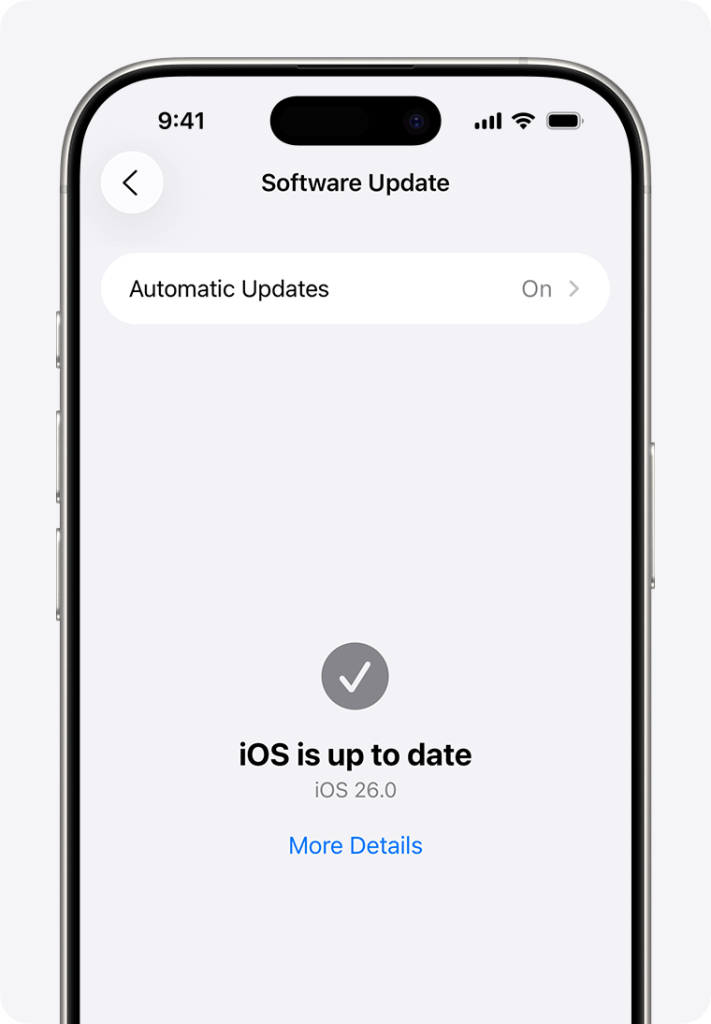
This is the single most impactful security action available to iPhone users, and it’s completely free.
Apple regularly releases security updates that patch vulnerabilities — including critical ones that have been actively exploited in the wild. The gap between “Apple releases a patch” and “vulnerability is exploited against unpatched devices” is often measured in days. Devices running outdated iOS are running with known, publicly documented vulnerabilities.
Enable automatic updates: Settings → General → Software Update → Automatic Updates, and enable both “Download iOS Updates” and “Install iOS Updates.” Do it now if you haven’t already.
When a security update is available, install it the same day if at all possible. This single habit closes more real vulnerability than almost any other security measure.
Face ID and Touch ID are convenient and reasonably secure for everyday use. But your passcode is the ultimate fallback that unlocks everything, including your encrypted data and the ability to disable biometric authentication.
A six-digit PIN has one million possible combinations — not as strong as it sounds given that people gravitate toward predictable patterns like birthdays and sequential numbers. A longer alphanumeric passcode — treated with the same care as a strong password — is meaningfully stronger.
Go to Settings → Face ID & Passcode → Change Passcode → Passcode Options → Custom Alphanumeric Code.
Your Apple ID is the master key to your iPhone’s data. Securing it properly is at least as important as securing the device itself.
Enable two-factor authentication for Apple ID if it isn’t already active — Settings → [Your Name] → Sign-In & Security → Two-Factor Authentication. With 2FA enabled, accessing your Apple ID from a new device requires both your password and a code sent to a trusted device you already own.
Use a strong, unique password for your Apple ID that you’ve never used anywhere else. If your Apple ID password is the same as a password you use on other services, one breach of any of those services exposes your entire iCloud account.
Safari includes built-in fraudulent website warnings that check URLs against known phishing databases before loading pages. Make sure this is enabled: Settings → Safari → Fraudulent Website Warning should be toggled on.
This provides baseline protection against known phishing pages but doesn’t catch newly created ones — the same limitation that affects all URL-filtering approaches.

As discussed above, traditional antivirus functionality doesn’t work on iOS. But security apps offering web protection and VPN service provide genuine value against real iOS threats.
Web protection — typically implemented as a DNS filter or VPN-based URL filter — blocks known malicious and phishing URLs before the page loads. This catches the phishing attempts that Safari’s built-in protection misses, covering a broader database of known threats.
A VPN from a reputable provider encrypts your traffic on public Wi-Fi, protecting you from the network-level attacks that iOS’s device-level security doesn’t address. This is one of the most practical and impactful additions to iPhone security for regular travelers and anyone who frequently uses public networks.
Look for security apps from established vendors with transparent privacy policies. The concerning irony of some iOS “security” apps is that they require you to route your traffic through their servers — which is exactly what a VPN does — creating a privacy consideration of its own. Stick to reputable names with audited no-logs policies and clear business models.
If you’re a journalist, activist, lawyer, executive, or anyone whose work might make them a target for sophisticated surveillance — or if you’ve received threats or believe you may be specifically targeted — enable Lockdown Mode.
Settings → Privacy & Security → Lockdown Mode.
Lockdown Mode significantly restricts device functionality — many websites won’t load normally, most message attachment types are blocked, wired connections require the device to be unlocked first. It’s not practical for everyday users. For people at genuine elevated risk, it provides substantially hardened protection against sophisticated spyware like Pegasus.
Go to Settings → Privacy & Security and review what each app on your phone has access to. Location, camera, microphone, contacts, photos, health data — audit who has access to what and revoke permissions that don’t make sense for the app’s stated purpose.
Pay particular attention to location access. Most apps have no legitimate reason to access your precise location. Setting location access to “While Using” rather than “Always” for apps that need it intermittently significantly reduces your passive location exposure.
iCloud Private Relay is Apple’s privacy feature for Safari browsing — included with iCloud+ subscriptions — that routes your Safari traffic through two separate internet relays so that no single party can see both who you are and what you’re browsing.
This isn’t a full VPN — it only covers Safari browsing, not all device traffic — but it provides meaningful privacy protection for the majority of iPhone browsing. For full-traffic protection, particularly on public Wi-Fi, a dedicated VPN covering all apps is the more comprehensive solution.
iMessage’s blue bubble is not a security guarantee. Phishing messages arrive through iMessage regularly — and Apple’s filter only catches some of them. Text messages from unknown senders deserve the same scrutiny as emails from unknown senders.
Enable iMessage filtering: Settings → Messages → Filter Unknown Senders. This separates messages from people not in your contacts into a separate tab, reducing the prominence of potential phishing messages, though it doesn’t block them.
Apply the same seven-point phishing check we covered in our phishing guide to suspicious text messages, regardless of what device you receive them on.
Let’s be direct about where the value case exists and where it doesn’t.
The case for paying for iPhone security software:
If you regularly use public Wi-Fi and don’t have a VPN, a security suite that includes a reputable VPN is worth the cost — and for many security apps, the VPN is the primary value driver.
If you want web protection that goes beyond Safari’s built-in phishing filter, security apps from reputable vendors maintain broader databases of known phishing and malicious URLs.
If you want identity monitoring and data breach alerts integrated into a single app alongside device-level features, paid security suites typically offer this more comprehensively than free options.
The case against:
If you already have a reputable standalone VPN subscription, good password manager, and breach monitoring in place, a bundled security app may be largely redundant.
Many of the most impactful iPhone security measures — keeping iOS updated, using a strong passcode, securing your Apple ID with 2FA, reviewing app permissions — are completely free and require no third-party software.
The “antivirus” label on many iOS security apps creates expectations the apps can’t technically fulfill. Know what you’re buying and evaluate it on the merits of what it actually does.
The honest middle ground: for many iPhone users, a standalone reputable VPN and a good password manager cover the highest-value gaps in iOS’s native security without paying for a bundled suite that includes features you already have or that duplicate iOS’s existing capabilities.
“iPhones can’t get viruses.”
Traditional self-replicating viruses as they existed in the early internet era are extremely rare on iOS due to the sandboxing model. But iOS can run malicious code — through sophisticated exploits, through malicious web content, and historically through vulnerabilities that have since been patched. More practically, the threats that actually affect iPhone users — phishing, credential theft, account compromise, data harvesting — don’t require viruses. Conflating “viruses” with “all digital threats” leads to a false sense of security.
“If I only use the App Store, I’m safe from malware.”
The App Store screening is meaningful but not perfect. Apps have passed App Store review while containing hidden malicious functionality. In one documented case, apps containing functionality that enabled fraudulent cryptocurrency schemes operated in the App Store for extended periods. The App Store review catches the vast majority of overtly malicious software, but determined attackers with resources have demonstrated the ability to evade it.
“My iPhone being encrypted means my accounts are safe.”
Device encryption protects the data stored on the physical device if it’s lost or stolen. It doesn’t protect your accounts from being accessed through correct credentials obtained via phishing or credential stuffing. Your Apple ID, Gmail, banking apps — these are accessible to anyone with the right password, regardless of how well encrypted your device is.
“I’d know if my iPhone was hacked.”
Some compromises are obvious. Many are deliberately invisible. Sophisticated spyware like Pegasus is specifically designed to operate without any detectable symptoms. Data harvesting through legitimate apps generates no notifications. An iCloud account accessed from another device doesn’t alert you unless you have login notifications enabled. Absence of obvious symptoms is not evidence of security.
“I don’t need to worry about public Wi-Fi because iMessage and my apps are encrypted.”
iMessage is end-to-end encrypted between Apple devices. Many apps use HTTPS. But not all apps encrypt their traffic correctly, and even with encryption, metadata — what sites you visit, when, for how long — can be captured at the network level. DNS queries, which resolve the domain names you visit, are often unencrypted. A VPN protects at the network level in ways that app-level encryption alone doesn’t address.
iPhones are genuinely, meaningfully secure against the traditional malware threats that dominate Windows and, to a lesser extent, Android. Apple’s security architecture deserves the respect it receives. The walled garden, the sandboxing, the encryption, the rapid updates — these represent serious, thoughtful security engineering.
But iPhones are not immune. They are specifically vulnerable to the entire category of threats that target users rather than devices — phishing, social engineering, account compromise, public Wi-Fi exposure, and data harvesting through legitimate apps. These threats work equally well regardless of how sophisticated the device’s architecture is.
Traditional antivirus software can’t work on iOS in any meaningful technical sense. But that doesn’t mean additional protection is worthless — it means the valuable protection takes different forms: web filtering, VPN on public networks, strong Apple ID security with 2FA, good password hygiene, app permission auditing, and keeping iOS updated.
The most dangerous thing about iPhone security isn’t any specific vulnerability. It’s the widespread, Apple-cultivated belief that iPhones don’t need any security attention at all. That belief keeps people from taking the free, simple steps that would genuinely protect them.
Now you know better.
Do iPhones need antivirus software? Traditional antivirus — file scanning, real-time malware detection — cannot function on iPhone due to iOS’s sandboxing architecture. No app can monitor other apps or system processes. However, iPhone users face real threats including phishing, public Wi-Fi attacks, account compromise, and data harvesting. Security apps offering web protection, VPN services, and identity monitoring provide genuine value against these threats, even though they aren’t “antivirus” in the traditional sense.
Can iPhones get hacked? Yes. The sophistication required varies — casual attackers find iPhones significantly harder to compromise than Android devices or Windows computers. But iPhone users are successfully targeted through phishing and credential theft, iCloud account compromise, malicious websites exploiting Safari vulnerabilities, and sophisticated spyware like Pegasus that has compromised iPhones through zero-click exploits. “Harder to hack” is accurate. “Impossible to hack” is not.
Is it safe to use an iPhone on public Wi-Fi? Not without protection. iOS’s security architecture doesn’t extend to network-level threats. Man-in-the-middle attacks, DNS hijacking, and traffic interception on compromised networks work regardless of what device you’re using. A reputable VPN encrypts your traffic before it leaves your device, providing meaningful protection on public networks. This is one of the most practical security improvements available to iPhone users.
What does Apple do to protect iPhone security? Apple provides multiple overlapping security layers: App Store review screening apps before distribution, sandboxing isolating apps from each other and system processes, hardware encryption protecting stored data, the Secure Enclave protecting biometric and cryptographic data, rapid consistent security updates across all supported devices, Safari’s fraudulent website warnings, and App Tracking Transparency requiring explicit consent for cross-app tracking. These protections are substantial but address device-level threats rather than user-targeted attacks like phishing.
Is the iPhone App Store completely safe? Safer than alternatives, but not completely. Apple’s review process catches the majority of overtly malicious apps. However, documented cases exist of apps containing hidden malicious functionality passing App Store review — sometimes operating for extended periods before detection. The App Store is far safer than Android’s third-party app stores or sideloading, but shouldn’t be treated as an absolute security guarantee.
What is Lockdown Mode on iPhone and should I use it? Lockdown Mode is an extreme security setting Apple introduced in iOS 16 specifically to protect against sophisticated targeted attacks like government spyware. It significantly restricts device functionality — blocking most message attachment types, limiting website features, restricting wired connections. It’s designed for journalists, activists, lawyers, executives, and others at genuine risk of targeted surveillance. For everyday users, the functionality restrictions make it impractical and unnecessary. Standard iOS with current updates provides appropriate protection for typical threat profiles.
Does updating iOS actually improve security? Significantly and immediately. Apple’s iOS updates frequently patch vulnerabilities that are being actively exploited in the wild — meaning attackers are already using these vulnerabilities against unpatched devices. The time between Apple publishing patch notes (which detail what was fixed) and attackers reverse-engineering those fixes to target unpatched devices is often measured in days. Installing updates promptly is one of the highest-impact security habits available to iPhone users, and it costs nothing.