Physical Address
304 North Cardinal St.
Dorchester Center, MA 02124
Physical Address
304 North Cardinal St.
Dorchester Center, MA 02124
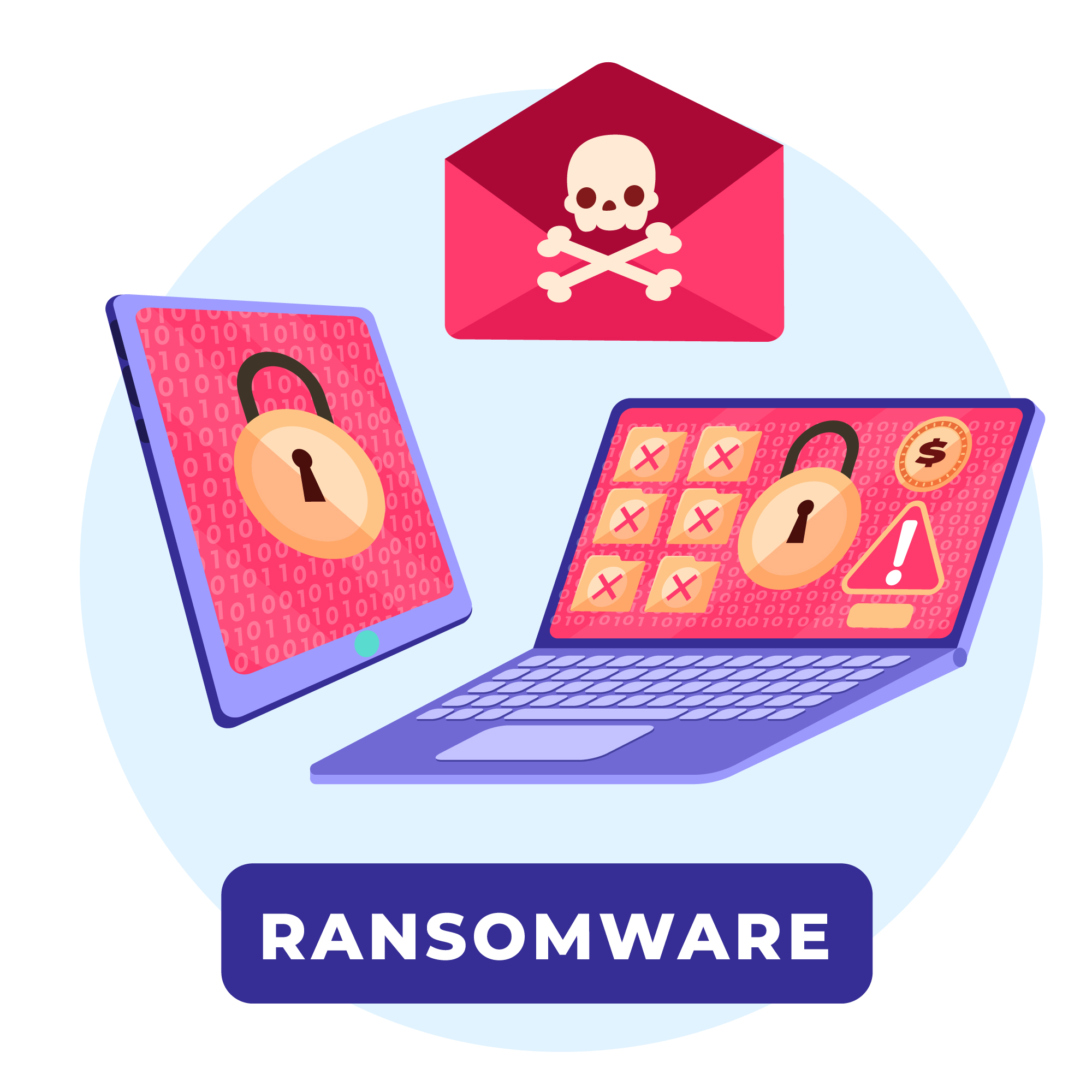
Most people imagine ransomware as something that swoops in from nowhere — an invisible, unstoppable force that randomly strikes unlucky victims.
That’s not how it works.
Ransomware doesn’t teleport onto your computer. It gets in through specific, well-documented doors — and the people behind it are deliberately looking for those doors to be left open. The good news is that once you know which doors they use, you can close them.
According to Verizon’s annual Data Breach Investigations Report, the overwhelming majority of cyberattacks — including ransomware — involve human interaction at some point. Someone clicks something. Someone downloads something. Someone leaves a setting misconfigured. Ransomware operators depend on this. They’ve built entire criminal businesses around predicting exactly how people behave online.
This article breaks down the five most common ways ransomware gets onto computers — including real-world examples of each — and gives you clear, practical steps to block every single one. No technical background required.
Before we get into the specific methods, it’s worth understanding why ransomware spreads so successfully in the first place.
Ransomware operators aren’t just writing malicious code — they’re running sophisticated operations that combine technical exploits with psychological manipulation. They know that most people are busy, distracted, and inclined to trust things that look familiar. They design their attacks around those tendencies.
They also play a volume game. A single ransomware campaign might send millions of phishing emails. If even 0.1% of recipients click, that’s thousands of infected machines. At an average ransom demand of several thousand dollars per victim, the math works out very well for the attacker.
Understanding this reframes how you think about protection. You’re not trying to be unhackable — you’re trying to be harder to compromise than the next person. Most ransomware operators move on quickly when they hit resistance.
Phishing emails are the single most common ransomware delivery method, responsible for the majority of attacks on everyday users.
Here’s how a phishing email delivers ransomware in plain terms: you receive an email that looks legitimate — maybe it appears to be from FedEx, your bank, Microsoft, or even a colleague. The email contains either a link or an attachment. When you click the link or open the attachment, malicious code executes on your computer and the ransomware installs itself, often before you’ve noticed anything is wrong.
The reason phishing works so reliably is that modern phishing emails are genuinely convincing. The days of obvious broken-English scam emails still exist, but they share space with highly polished, professionally designed messages that mirror the exact branding of legitimate companies down to the font and footer.
Common phishing email disguises:
The attachment angle deserves special attention. Ransomware is frequently hidden inside documents that look completely normal — Word files, PDFs, Excel spreadsheets. When you open them and enable macros (often prompted by a message inside the document saying something like “Enable editing to view this file”), the malicious code runs.
How to protect yourself:
A quality antivirus with email scanning capabilities adds another layer here by flagging malicious attachments before you even open them. Our phishing protection guide goes deeper on spotting these attacks across every channel — email, text, and social media.
You don’t always have to click on something suspicious to get infected. Sometimes, simply visiting the wrong website is enough.
This is called a drive-by download — an attack where malicious code automatically downloads and executes on your computer just from visiting a compromised web page, without you clicking anything or giving any explicit permission.
How is this possible? Websites are built on layers of code — HTML, JavaScript, plugins, third-party ad networks. If any of these components contains a vulnerability that your browser or its plugins haven’t patched, an attacker can exploit that gap to push code onto your device silently.
Here’s what makes this particularly unsettling: the compromised website doesn’t have to be a sketchy one. Legitimate, well-known websites have been used to deliver ransomware through their advertising networks — a technique called malvertising. The website itself isn’t malicious, but one of the ads it serves has been injected with harmful code. You visit a perfectly normal news site or weather app, and a poisoned ad silently tries to exploit your browser.
Real-world example: In multiple documented cases, major ad networks have inadvertently served malvertising campaigns to millions of users across reputable websites. Users on fully mainstream sites were exposed to drive-by download attempts without any interaction on their part beyond visiting the page.
Other risky scenarios:
How to protect yourself:
This one is less talked about in consumer circles, but it’s one of the most common ransomware entry points — particularly since remote work became widespread.
Remote Desktop Protocol (RDP) is a feature built into Windows that allows someone to connect to and control a computer remotely over a network. IT teams use it legitimately to manage computers. Work-from-home employees use it to access office computers. Parents use it to help family members with tech issues.
The problem: if RDP is enabled on your computer and accessible over the internet, and your password is weak or has been leaked in a data breach, an attacker can brute-force their way in. They try thousands of username/password combinations automatically until one works. Once they’re in through RDP, they have direct, hands-on access to your machine — and deploying ransomware from there is trivial.
This attack requires more effort than phishing and is therefore more common against businesses and remote workers than average home users. But it’s worth understanding because RDP exposure on home computers is more common than most people realize, particularly on machines that are part of a home office setup.
Warning signs that RDP might be an issue for you:
How to protect yourself:
Our VPN reviews cover options that work well for securing remote connections without adding significant friction to your workflow.
Every piece of software you install is an invitation into your computer. You’re trusting that what you’re installing is what it claims to be — and ransomware operators are very good at abusing that trust.
This category covers several related but distinct scenarios:
Trojanized software is legitimate-looking software that has been secretly bundled with malware. You download what appears to be a free video editor, a system optimizer, a PDF converter, or a game. It installs and might even work as advertised. But running in the background, invisible to you, is a ransomware payload waiting to activate.
Supply chain attacks are a more sophisticated version of this — where attackers compromise the software at the source, infecting legitimate software updates from real vendors. When the vendor pushes an update to all their users, the malware goes with it. These attacks are rarer and typically target businesses, but they’re a sobering reminder that “I only install software from known sources” isn’t a perfect guarantee.
Pirated software and media represent one of the highest-risk behaviors in terms of ransomware exposure. Cracks, keygens, and pirated installers floating around torrent sites are disproportionately loaded with malware. The person packaging that pirated software isn’t doing it out of generosity — there’s almost always something extra bundled in. Security researchers consistently find that a significant percentage of cracked software downloads contain some form of malware, and ransomware is well represented.
Fake browser extensions are an underappreciated vector. A browser extension has significant access to your browsing activity and, in some cases, your local files. Fake or compromised extensions — often distributed through unofficial extension repositories — have been used to deliver malware including ransomware.
How to protect yourself:
The previous four methods are about getting ransomware onto one device. This one is about what happens next — and it’s what turns a single infected computer into a catastrophic, network-wide disaster.
Many sophisticated ransomware variants are designed not just to encrypt the device they land on, but to actively spread through connected networks. Once inside one machine, the malware scans for other vulnerable devices on the same network and attempts to infect them too — a technique called lateral movement.
This is how ransomware has brought hospitals to a standstill, shut down city government systems, and paralyzed manufacturing plants. It’s also how a single infected laptop in a home office can end up encrypting a shared family drive, a connected NAS device, or every computer in the house.
The infamous WannaCry attack of 2017 — which infected over 200,000 computers across 150 countries according to Europol — spread almost entirely through lateral movement via a Windows vulnerability called EternalBlue. It didn’t need anyone to click anything on the subsequently infected machines. It found them on the network and spread autonomously.
For home users, this manifests most commonly as:
How to protect yourself:
It’s worth understanding that these methods don’t always operate in isolation. Here’s how a sophisticated ransomware attack against an everyday user might actually unfold, combining multiple techniques:
You receive a phishing email disguised as a DocuSign document requiring your signature. You click the link, which takes you to a convincing but fake page that prompts you to download a document. The download contains a trojanized file. When you open it and enable editing, a macro runs silently in the background — establishing a foothold on your machine.
The malware first runs quietly for 24 hours, scanning your system and your network. It identifies that RDP is enabled on your computer with a weak password, and it notes three other devices connected to your home network. It deletes your Windows shadow copies. It identifies your cloud sync folder.
Then it activates — encrypting files on your machine, spreading to the other devices on your network, and pushing encrypted versions of your files to your cloud storage, overwriting the originals.
You wake up to four ransom notes on four different screens.
This scenario isn’t hypothetical. Variations of it happen constantly. But every single step in that chain had a potential intervention point — a moment where better protection or better habits would have stopped the attack cold.

Armed with the knowledge of how ransomware actually spreads, here’s a consolidated action list:
Against phishing: Slow down with emails, hover before clicking, never enable macros unexpectedly, verify unexpected attachments out of band.
Against drive-by downloads: Keep browser and plugins updated, use ad-blocking extensions, avoid unofficial download sites and piracy platforms entirely.
Against RDP exploitation: Turn off RDP if you don’t need it. Use a VPN if you do. Use strong passwords and two-factor authentication everywhere.
Against malicious software: Only download from official sources, avoid pirated content, review browser extensions, never disable antivirus during installation.
Against network propagation: Keep all devices updated, disconnect external drives when not in use, review network sharing settings, segment your home network.
Across all methods: Install reputable antivirus with behavioral detection and real-time protection. Back up your important files to offline storage regularly. And stay informed — the methods evolve, but the fundamentals of protection remain consistent.
We’ve tested the leading antivirus programs specifically against ransomware delivery methods to see which ones intercept attacks at each stage. The results are worth reading before you decide on your protection. If you’re weighing your options, our breakdown of free vs paid antivirus explains clearly where the gaps are.
How does ransomware most commonly spread? Phishing emails are the single most common method, accounting for the majority of ransomware infections targeting everyday users. Attackers send emails disguised as legitimate communications containing malicious links or attachments. When opened, these deliver ransomware payloads directly onto the victim’s computer. Email hygiene and antivirus with email scanning are the most direct defenses.
Can ransomware spread through Wi-Fi? Yes. Once ransomware infects one device on a network, many variants are designed to scan for and infect other connected devices — a process called lateral movement. This can affect any device connected to the same Wi-Fi network, including other computers, NAS devices, and sometimes smart home devices. Disconnecting an infected device from the network immediately is critical to limiting spread.
Can you get ransomware just from visiting a website? Yes, through a technique called a drive-by download. Ransomware can be delivered through vulnerabilities in your browser or plugins simply from visiting a compromised page — no clicking or downloading required. This is more likely on sites running outdated software or through compromised advertising networks. Keeping your browser updated is the primary defense.
Can ransomware spread through email without opening an attachment? Typically, ransomware requires some form of interaction — clicking a link or opening an attachment. However, some advanced exploits can theoretically trigger through email preview in certain unpatched email clients. In practice, the overwhelming majority of email-delivered ransomware requires the user to click or open something. Modern, updated email clients significantly reduce this risk.
Is pirated software a ransomware risk? Significantly so. Security research consistently finds that cracked software, keygens, and pirated media files distributed through torrent sites contain disproportionately high rates of malware, including ransomware. The person packaging and distributing pirated software often bundles additional payloads. The financial savings are not worth the exposure risk.
Can ransomware infect external hard drives and USB drives? Yes. Ransomware typically encrypts all accessible storage — including external drives and USB devices that are connected at the time of the attack. This is why offline backups (drives that are physically disconnected when not in use) are so important. A backup drive that was plugged in during an attack is likely to be encrypted along with everything else.
Does a VPN protect against ransomware? Not directly. A VPN encrypts your internet traffic and hides your IP address, but it doesn’t block ransomware from executing on your device. However, a VPN does close off specific attack vectors — particularly RDP exploitation and man-in-the-middle attacks on public Wi-Fi — making it a useful part of a broader security strategy rather than a standalone solution.
Ransomware spreads through predictable, well-understood channels. Phishing emails, malicious downloads, exposed RDP access, trojanized software, and network propagation account for the overwhelming majority of attacks — and every single one has practical, accessible defenses.
The uncomfortable truth is that most successful ransomware attacks succeed not because they’re technically unstoppable, but because their victims weren’t aware of how the attack would arrive. You now know. That awareness, combined with the right tools and habits, puts you in a fundamentally different position than most people.
The next step is making sure your protection actually covers these vectors. See our guide on choosing the best antivirus software to find options that address ransomware delivery at every stage — from the phishing email to the drive-by download to network propagation. And if you haven’t set up an offline backup yet, that’s the single most important thing you can do today.
Ransomware operators are counting on people not taking these steps. Don’t give them the opportunity.