Physical Address
304 North Cardinal St.
Dorchester Center, MA 02124
Physical Address
304 North Cardinal St.
Dorchester Center, MA 02124
Here’s a question that keeps a lot of people up at night: If I have antivirus installed, am I safe from ransomware?
The honest answer? It depends — and the nuance here could save you thousands of dollars and years of headache.
Ransomware attacks have exploded in recent years. According to the FBI’s Internet Crime Complaint Center (IC3), ransomware complaints have cost victims billions annually, and it’s not just corporations getting hit. Everyday people lose family photos, tax records, and entire hard drives to attacks that take less than five minutes to execute.
So in this article, we’re going to cut through the noise. We’ll explain exactly how ransomware works, what antivirus software can and can’t do against it, and what you actually need to stay protected in the real world. No fear-mongering, no technical jargon — just a clear, honest breakdown.
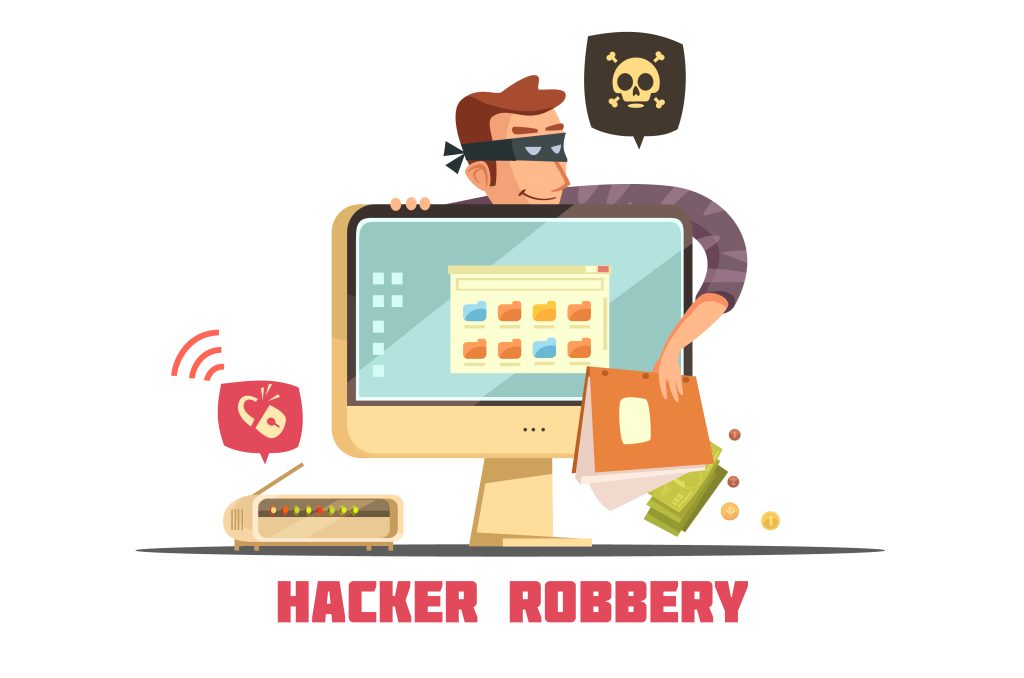
Ransomware is a type of malicious software that encrypts your files — locking you out of your own computer — and demands a payment (usually in cryptocurrency) in exchange for the decryption key.
In plain English: imagine someone changing the locks on every room in your house and sliding a ransom note under the front door. That’s ransomware. You can still see your files, but you can’t open any of them.
The encryption happens fast — sometimes in under 60 seconds — which is part of what makes it so devastating. By the time you notice something is wrong, the damage is often already done.
Common ways ransomware gets onto your computer:
Most people think, “I’d never fall for that.” But modern phishing emails look indistinguishable from legitimate messages from FedEx, your bank, or even your boss.
Modern antivirus programs don’t just scan for known viruses anymore. The good ones use several layers of detection:
Signature-based detection is the old-school method — the antivirus checks files against a database of known threats. If a ransomware strain has been identified before, it gets flagged and blocked. This works well for established threats, but not for brand-new ones.
Behavioral analysis (heuristic detection) is where things get smarter. Instead of looking for a known threat, the antivirus watches what a program does. If a newly downloaded app suddenly starts trying to encrypt hundreds of files in quick succession — a massive red flag — the antivirus throws up a wall, even if it’s never seen that specific ransomware before.
Real-time protection means the antivirus is running in the background at all times, not just when you decide to run a scan. This is critical for ransomware, because once it starts, every second matters.
Ransomware-specific shields are offered by several top-tier antivirus programs. These create a “protected folder” system where no unauthorized program can modify your documents, photos, or financial files — even if malware somehow slips through.
The better antivirus programs — and we’ve tested a number of them here at PCSafeHub — combine all four of these layers. See our guide on choosing the best antivirus software to see how the top options compare.
Here’s where things get real.
In independent lab testing by organizations like AV-TEST and AV-Comparatives, top antivirus products consistently block 95–99% of ransomware samples — including many zero-day variants that have never been seen before.
That sounds reassuring. And it largely is.
But there are important caveats.
What antivirus handles well:
Where antivirus can struggle:
The uncomfortable truth is that no antivirus blocks 100% of ransomware, 100% of the time. Any company that claims otherwise is lying to you. But the realistic risk profile changes dramatically with good protection installed versus without it.
Think of it like a car with airbags. Airbags don’t make you invincible, but you’d still be irrational to drive without them.
Let’s walk through three realistic scenarios.
Scenario 1: The phishing email You get an email from what looks like UPS saying your package couldn’t be delivered. You click the tracking link. Behind the scenes, a ransomware payload starts downloading.
With a good antivirus running real-time protection: The download is flagged immediately. The file never executes. You see a warning, delete the file, and move on with your day.
Without antivirus (or with Windows Defender on default settings): The file may execute before Windows catches it. Your Documents folder starts encrypting.
Scenario 2: A zero-day attack A brand-new ransomware variant hits the web — one nobody has documented yet. It’s being distributed through a compromised ad network, and you visit a legitimate website that happens to serve the infected ad.
With antivirus + behavioral detection: When the malware starts behaving like ransomware (rapid file modification, registry changes, shadow copy deletion), the behavioral engine intervenes.
With signature-only protection or no antivirus: Nothing stops it. This is why behavioral detection isn’t optional anymore — it’s essential.
Scenario 3: You’re tricked into installing it yourself A pop-up says your computer is infected and tells you to call a number. The “technician” walks you through disabling your security software and installing a “cleaning tool.” That tool is ransomware.
Any antivirus: Powerless once you’ve disabled it yourself. This is a social engineering attack, and the only defense is awareness. No software can fully protect you from being manipulated.
This last scenario is why education matters just as much as software. If you’re not sure how to spot these scams, our phishing protection guide covers the warning signs in detail.
Myth 1: “Windows Defender is good enough.”
Windows Defender has improved significantly and it’s far better than nothing. But in independent testing, it consistently lags behind paid solutions in detecting zero-day threats and advanced behavioral attacks. It also lacks features like protected folders and ransomware rollback, which can be the difference between losing all your files and losing none.
For basic home users with careful browsing habits, it may be sufficient. For everyone else, the gap between Defender and a premium antivirus is real. Read our full breakdown of free vs paid antivirus to see where the lines are drawn.
Myth 2: “Macs can’t get ransomware.”
They can. macOS has stronger built-in security than Windows, but Mac ransomware exists and has been confirmed in the wild. As Macs have grown in market share, they’ve become more attractive targets. This is especially true for business users on Macs, but home users aren’t immune.
Myth 3: “I’d know if I was infected.”
Not necessarily. Some ransomware strains sit quietly on your system for days or weeks before activating — gathering information, spreading across your network, or waiting for a strategic moment. By the time you see the ransom note, the damage has been building for a while.
Myth 4: “If I just pay the ransom, I’ll get my files back.”
The FBI explicitly advises against paying ransoms. There’s no guarantee the attacker will actually give you a working decryption key. In many cases, victims pay and receive nothing — or are targeted again immediately after, because now they’re known as someone who pays.
Antivirus is essential but it’s one layer, not the whole fortress. Here’s what genuinely protects you:
1. A reputable antivirus with behavioral detection enabled Real-time protection, behavioral analysis, and a protected folder system. We tested leading antivirus programs and found meaningful differences in how each handles ransomware — the results might surprise you.
2. Regular, offline backups This is arguably the single most powerful defense against ransomware. If your files are backed up to an external drive that isn’t connected to your computer, ransomware can’t touch those backups. The “3-2-1 rule” — three copies, two different media types, one stored offsite or offline — is the gold standard.
3. Keeping software updated The WannaCry ransomware attack of 2017, which infected over 200,000 computers across 150 countries according to Europol, exploited a Windows vulnerability that had already been patched. The people who got hit simply hadn’t installed the update. Updates aren’t optional anymore.
4. Email caution Most ransomware enters through email. Slow down before clicking any link. Verify unexpected attachments with the sender through a separate channel. When in doubt, don’t click.
5. A VPN on public Wi-Fi This won’t stop ransomware directly, but it closes off a vector attackers use to intercept your traffic or exploit vulnerabilities on unsecured networks. Our VPN reviews can point you toward reliable options.
Free antivirus tools — including Windows Defender — handle a solid range of threats. But there are specific situations where paid protection justifiably earns its cost:
Paid antivirus suites typically add ransomware rollback (which can literally undo an attack after it starts), dark web monitoring, identity theft alerts, and cloud backup features. For a lot of people, that bundle is worth more than the sum of its parts.
You don’t need to overhaul your digital life this afternoon. But there are a few things worth doing today:
Can antivirus stop ransomware? In most real-world cases, yes — a good antivirus with behavioral detection will intercept ransomware before it does meaningful damage. The testing data backs this up. Independent labs consistently show top antivirus products catching the vast majority of ransomware, including new variants.
But “most cases” isn’t the same as “all cases.” Sophisticated attacks, zero-days, and social engineering exploits can still slip through. That’s why antivirus works best as part of a layered strategy: good software, regular backups, updated systems, and a healthy level of skepticism toward unexpected links and attachments.
The people who get hit hardest by ransomware usually have one thing in common: they assumed they were fine without doing anything specific to protect themselves. Don’t be in that group.
Can free antivirus stop ransomware? Some free antivirus tools offer limited ransomware protection, but most lack behavioral detection and protected folder features found in paid versions. Windows Defender provides baseline coverage, but independent tests show it consistently underperforms compared to premium antivirus products against advanced ransomware strains.
What happens if ransomware gets past my antivirus? If ransomware executes, your files will begin encrypting rapidly. If you have a recent offline backup, you can wipe your system and restore your files. Without a backup, your options are limited — you may be able to find a free decryption tool at No More Ransom (nomoreransom.org), a project backed by Europol and law enforcement agencies.
Does antivirus protect against zero-day ransomware? Signature-based antivirus cannot detect zero-day ransomware. However, modern antivirus programs with behavioral analysis can often identify and block zero-day attacks by recognizing how the malware behaves, even if it’s never been seen before.
Is Windows Defender enough to stop ransomware? Windows Defender has improved significantly and blocks many known threats. However, it lacks advanced features like ransomware rollback and consistently scores lower than paid alternatives in independent zero-day threat testing. For users storing important files or working from home, a paid solution offers meaningfully better protection.
Can ransomware spread through Wi-Fi or a network? Yes. Some ransomware variants are designed to spread across connected networks — this is how WannaCry infected entire hospital systems. If one device on your network gets hit and lacks proper segmentation, other devices can be affected. A VPN won’t prevent this, but keeping all devices updated and avoiding open network shares reduces the risk significantly.
Should I pay the ransom if I get hit? The FBI, FTC, and cybersecurity experts universally advise against paying ransoms. Payment doesn’t guarantee you’ll get a decryption key, it funds criminal operations, and it can mark you as a target for future attacks. The better path is prevention, and if the worst happens, restoration from backup.
Can ransomware infect phones and tablets? Mobile ransomware exists, particularly on Android devices through unofficial app downloads. iPhones are less vulnerable due to Apple’s app sandboxing, but not immune. Mobile antivirus apps add a layer of protection, particularly for Android users who install apps from outside the official Play Store.
The goal here isn’t to scare you into buying software — it’s to make sure you’re making an informed decision about protecting something that matters.
Your files, your memories, your financial records — they’re worth more than the cost of a decent antivirus subscription.
Run a scan today. Set up a backup this week. And if you’re not sure whether your current protection is up to scratch, check out our tested antivirus comparisons to find what actually performs in the real world.