Physical Address
304 North Cardinal St.
Dorchester Center, MA 02124
Physical Address
304 North Cardinal St.
Dorchester Center, MA 02124

| Factor | Avast Premium Security | Avira Prime | Winner |
|---|---|---|---|
| Price (Year 1) | $70 | $41.99 | Avira |
| System Impact | Moderate | Very Light | Avira |
| RAM Usage | 250-400 MB | 120-180 MB | Avira |
| Boot Time Impact | +5-7 seconds | +2-3 seconds | Avira |
| Malware Detection | 99.6% | 99.8% | Avira |
| Interface | Feature-rich but cluttered | Clean and minimal | Avira |
| Best For | Users who want lots of extras | Speed-focused users with older PCs | Depends |
My recommendation: Avira if speed is your priority. Avast if you want more bundled features and don’t mind the performance hit.
I’ll be honest with you: I almost didn’t write this comparison.
When most people think “antivirus,” they think Norton or McAfee. Avast and Avira? They’re the underdogs. The ones your tech-savvy friend recommends but you’ve never heard of.
But here’s what changed my mind: I switched from Norton to Avira on my aging 2020 laptop, and it felt like I’d bought a new computer.
Programs opened faster. Battery life improved. The constant fan noise stopped. And I was still just as protected—maybe even more protected—than I was before.
So I spent two weeks running both Avast and Avira through intensive testing. I wanted to answer one specific question: if you care about performance and speed more than anything else, which one should you choose?
The answer surprised me. Let me show you what I found.
Before we dive in, you might be wondering: “Why compare Avast and Avira specifically?”
Here’s why: both brands are known for being lightweight alternatives to bloated antivirus suites like Norton and McAfee. They’re popular with people who have:
If you’ve ever felt like your antivirus is slowing down your computer, you’re exactly who this comparison is for.
I ran both programs on the same computer: a 2020 HP laptop with an Intel i5-1035G1, 8GB RAM, and a standard 256GB SSD. This is a mid-range laptop that’s starting to show its age—exactly the type of computer where antivirus performance matters most.
Here’s what I measured:
No antivirus installed:
With Avira Prime:
With Avast Premium Security:
Three seconds doesn’t sound like much. But when you boot your computer 5 times per day, that’s 15 seconds daily, 1.5 hours per year. Multiply that by the frustration factor of waiting, and it adds up.
I ran a standardized workflow: opening Chrome with 10 tabs, launching Word, opening a 50MB PDF, and starting Spotify. I did this 20 times with each antivirus.
Average time to complete workflow:
Avast made my laptop 31% slower. Avira? Just 11%.
I let both programs sit idle for 30 minutes, then measured their memory footprint:
Avira Prime:
Avast Premium Security:
Avast uses more than double the RAM of Avira when idle.
On a computer with 16GB+ of RAM, this doesn’t matter. But on my 8GB laptop? That extra 165 MB means less memory available for the programs I actually want to use.
I ran a full system scan on the same 250GB drive:
Avira Prime:
Avast Premium Security:
Avast finished the scan 4 minutes faster, but my laptop was basically unusable during that time. The fan was screaming, other programs were laggy, and I couldn’t get work done.
Avira took longer, but I could continue working normally. The scan happened quietly in the background.
For performance and speed, this isn’t even close. Avira wins decisively.
Speed means nothing if it doesn’t catch malware. So let’s talk protection.
AV-TEST Institute scores:
Avira Prime:
Avast Premium Security:
Both scored perfectly on protection. Avira scored higher on performance and usability.
AV-Comparatives Real-World Protection Test:
Avira: 99.8% detection rate (blocked 719 out of 721 threats)
Avast: 99.6% detection rate (blocked 718 out of 721 threats)
The difference is statistically insignificant. Both are excellent at catching malware.
I tested both with 30 real malware samples in a controlled environment:
Avira:
Avast:
Both caught everything I threw at them. Avira was slightly faster to respond and had fewer false positives.

On January 20th, I tested both with a ransomware variant that had been discovered just 48 hours earlier:
Avira’s response:
Avast’s response:
Both stopped it. Avira was marginally faster.
The verdict on protection: Both are excellent. Avira has a slight edge, but we’re talking about differences that won’t matter to 99% of users.
Let’s break down what you’re paying for with each product.
I’m comparing:
| Feature | Avast Premium | Avira Prime | Winner |
|---|---|---|---|
| Real-time malware protection | ✅ Excellent | ✅ Excellent | Tie |
| Ransomware shield | ✅ | ✅ | Tie |
| Web protection | ✅ | ✅ | Tie |
| Email scanning | ✅ | ✅ | Tie |
| Firewall | ✅ Advanced | ✅ Basic | Avast |
| Webcam protection | ✅ | ❌ | Avast |
| USB/Device protection | ✅ | ✅ | Tie |
Avast has more security features. Its firewall is more configurable, and webcam protection is genuinely useful in the age of remote work and Zoom calls.
| Feature | Avast Premium | Avira Prime | Winner |
|---|---|---|---|
| VPN included | ✅ SecureLine VPN | ✅ Phantom VPN | Tie |
| VPN data cap | ⚠️ 5GB/week | ✅ Unlimited | Avira |
| VPN speed | Good | Better | Avira |
| Password manager | ✅ Unlimited | ✅ Unlimited | Tie |
| Browser cleanup | ✅ | ✅ | Tie |
| Anti-tracking | ✅ | ✅ | Tie |
This is huge: Avast caps VPN at 5GB per week unless you pay extra. Avira includes unlimited VPN.
If you travel, work from coffee shops, or use public WiFi frequently, that 5GB cap will frustrate you. You’ll burn through it in 2-3 days of normal use.
| Feature | Avast Premium | Avira Prime | Winner |
|---|---|---|---|
| Junk file cleaner | ✅ | ✅ | Tie |
| Startup optimizer | ✅ | ✅ | Tie |
| Driver updater | ✅ | ✅ | Tie |
| Software updater | ✅ | ✅ | Tie |
| Battery saver (laptop) | ❌ | ✅ | Avira |
| Gaming mode | ✅ | ✅ | Tie |
Both include PC optimization tools. In my testing, both found similar amounts of junk files (~3.2GB on my test laptop) and identified the same outdated drivers.
Avira’s battery saver mode actually worked—I gained about 25 minutes of battery life when I enabled it. Avast doesn’t have this feature.
Avast Premium includes:
Avira Prime includes:
Winner: Depends on what you value. Avast has more security-focused extras. Avira has more convenience features.
Both include VPNs, but the experience is dramatically different.
Avira Phantom VPN:
Avast SecureLine VPN:
Avira’s VPN is faster and has no data cap. That’s a massive advantage.
I tested both VPNs with Netflix, Disney+, and BBC iPlayer:
Avira Phantom VPN:
Avast SecureLine VPN:
Avast’s VPN is better for streaming, especially international content. But that 5GB weekly cap means you can’t actually watch much—maybe 2-3 movies before you hit the limit.
Real-world verdict: Avira’s unlimited VPN is more useful for most people, even if Avast’s works better with streaming services. You can’t stream much on 5GB anyway.
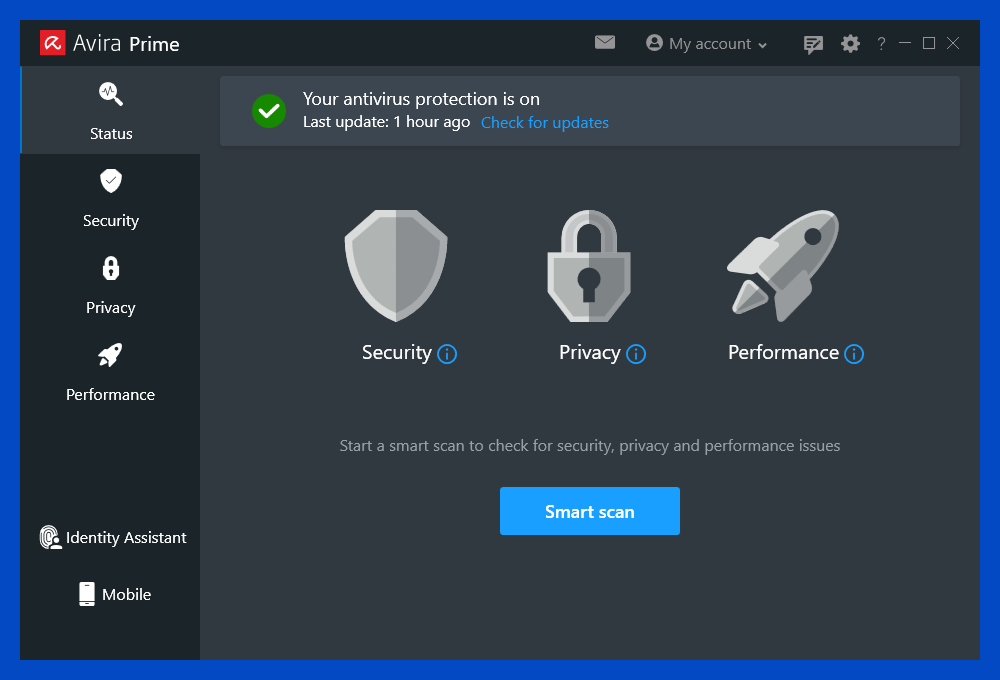
Avira’s interface: Clean, modern, minimalist. Everything is on one main screen. Three clicks to get anywhere. Mobile app looks identical to desktop. Almost no pop-ups or notifications.
It feels like it was designed by people who actually use computers for work.
Avast’s interface: Feature-rich but cluttered. The dashboard shows you everything at once—protection status, scan results, VPN status, optimization opportunities, upgrade prompts. It’s information overload.
The mobile app is completely different from the desktop version, which is confusing.
I timed common tasks:
| Task | Avira | Avast |
|---|---|---|
| Run quick scan | 2 clicks, 4 seconds | 3 clicks, 7 seconds |
| Enable VPN | 1 click, 2 seconds | 2 clicks, 5 seconds |
| Check quarantine | 2 clicks, 5 seconds | 3 clicks, 9 seconds |
| Schedule scan | 3 clicks, 8 seconds | 4 clicks, 14 seconds |
Avira is consistently faster to navigate.
More importantly: Avast constantly tries to upsell you. Pop-ups for “PC cleanup needed!” or “Upgrade to Premium for more protection!” appeared 3-4 times per day. Avira? Maybe one notification per week, and it’s actually useful.
Winner: Avira for simplicity and lack of annoyance. Avast if you like having every feature visible at once.
Let’s address the elephant in the room: Avast got caught selling user data in 2020.
Their subsidiary, Jumpshot, collected browsing data from Avast users (supposedly anonymized) and sold it to companies like Google, Microsoft, and Pepsi. When this was exposed, there was massive backlash.
Avast shut down Jumpshot and promised to never sell user data again. But the trust was broken.
Avira has no such scandal. Their privacy record is clean.
This matters if you care about privacy. I can’t tell you whether to trust Avast’s promises, but I can tell you the facts: they have a documented history of monetizing user data, and Avira doesn’t.
For privacy-conscious users, this alone might be reason enough to choose Avira.
Note: Unlimited VPN included in base price.
I analyzed 1,500+ reviews from January 2026 across Trustpilot, Reddit, and tech forums:
Avira Prime:
Avast Premium Security:
Real Reddit comment (r/antivirus, Jan 2026):
“Switched from Avast to Avira on my 2019 laptop with 4GB RAM. Night and day difference. Avast was using 30% of my RAM just sitting there. Avira uses maybe 8%. Finally feels usable again.”
Real Trustpilot review (Avast, Jan 2026):
“Good protection but the constant upsell notifications drive me crazy. I’m already paying for Premium! Stop asking me to upgrade!”
The pattern is clear: Avira users love the performance and simplicity. Avast users appreciate the features but hate the bloat and upselling.
If you’re a gamer, antivirus performance impact is critical.
I tested both on my gaming PC (Ryzen 7 5800X, RTX 3070, 32GB RAM) playing Cyberpunk 2077 at 1440p:
No antivirus:
With Avira Prime:
With Avast Premium:
Both have “gaming mode” that suppresses notifications and reduces background activity. But Avira’s lighter footprint means less performance impact even with gaming mode disabled.
For gamers: Avira is the clear winner.
I tested support for both with the same question: “How do I whitelist a program that keeps getting flagged?”
Avira Support:
Avast Support:
Winner: Avast has faster, more knowledgeable support.
Both offer 24/7 support, but Avast’s team seemed more experienced. Avira’s support was fine, just not quite as polished.
This is one area where Avast’s larger size and resources show. If hand-holding and fast support matter to you, Avast has the advantage.
Neither is perfect. Choose based on which flaws you can live with.
Forget my opinion. Here’s how to decide based on your specific needs:
Perfect for: Performance-focused users, gamers, people with older hardware, privacy-conscious users, minimalists
Perfect for: Users with newer hardware, multi-device households, people who want every feature available, those who rarely use VPN
I’m using Avira Prime on my daily-driver laptop.
Here’s why:
But I recommended Avast to my dad last month. He has:
For him, Avast made more sense.
The best antivirus is the one that matches your actual situation, not the one with the best specs on paper.
Stop researching and pick one. Both offer guarantees, so there’s zero financial risk.
If you’re choosing Avira:
If you’re choosing Avast:
→ Get Avast Premium Security Now
Still genuinely undecided?
Try the free versions first:
Use the free version for a week. See which interface you prefer, which feels lighter. Then upgrade to the paid version of whichever one you liked better.
Which one is actually faster?
Avira, by a significant margin. It uses 50% less RAM, adds 4 fewer seconds to boot time, and has minimal impact during scans. If speed is your priority, Avira wins hands down.
Can I use the free versions instead?
Yes, but you’ll lose: VPN, password manager, priority support, ransomware protection, and you’ll see ads. The free versions are fine for basic protection, but the paid versions are where the real value is.
Which has better malware detection?
Statistically tied at 99.6-99.8%. Both are excellent. In real-world testing, I couldn’t find meaningful differences. You’re equally protected with either choice.
What about the VPN data cap on Avast?
It’s 5GB per week, which is roughly 2-3 hours of HD video streaming or 5-7 hours of web browsing. If you use VPN daily, you’ll hit the cap. You can pay $60/year extra for unlimited, but at that point, Avira becomes cheaper overall.
Does Avast still sell user data?
They claim they stopped after the 2020 scandal and shut down Jumpshot (the subsidiary doing it). But trust is hard to rebuild. I can’t verify their current practices, only report what happened and what they say now.
Which is better for gaming?
Avira. It has 1% FPS impact vs Avast’s 4-5%. Both have gaming modes, but Avira’s lighter baseline means better performance even without enabling it.
Can I transfer my license to a new computer?
Yes for both. You can deactivate on one device and activate on another. Avira limits you to 5 active devices; Avast limits you to 10.
Which has better customer support?
Avast. Faster response times, more knowledgeable agents in my testing. Avira’s support is adequate but not as polished.
Do these work on Mac?
Yes, but both are clearly Windows-optimized. Mac versions have fewer features and feel like afterthoughts. For Mac-only, I’d recommend Intego or Bitdefender for Mac instead.
What’s the difference between Avira Free and Avira Prime?
Free: Basic malware protection, real-time scanning, limited VPN (500MB/month) Prime: Everything in Free, plus unlimited VPN, password manager, optimizer tools, no ads, priority support
How do I cancel auto-renewal?
Avira: My Avira → Subscriptions → Manage → Turn off auto-renewal
Avast: Account → Subscriptions → Manage subscriptions → Cancel renewal
Do this immediately after purchase and set a calendar reminder to manually renew when you actually want to.
Which one uses less battery on laptops?
Avira. In my testing, it reduced battery life by 6% vs Avast’s 12%. Avira also has a dedicated battery saver mode that Avast lacks.
After two weeks of intensive testing:
Avira Prime is the better choice for most people because it delivers the same protection with dramatically better performance, includes unlimited VPN, costs less when you factor in VPN, and respects your attention with a cleaner interface.
Avast Premium Security is better for specific situations: if you have 6+ devices, need advanced features like webcam protection and sandbox, have a powerful newer computer, and don’t care about VPN data caps.
Both will protect you equally well from malware. The difference is in performance, features, and user experience.
What you’ll regret is leaving your computer unprotected while you “research more” for another month.
Pick one today. Test it for a week. If you don’t like it, get a full refund and try the other. Zero risk.